
Download Tor Browser Bundle – Secure, Free, Open‑Source Privacy Tool
What Is the Tor Browser Bundle?
The Tor Browser Bundle is a free, open‑source web browser built on the solid foundation of Mozilla Firefox. It is meticulously crafted by The Tor Project to integrate the Tor network’s powerful privacy and security features directly into the browsing experience. By routing your internet traffic through a global network of volunteer‑run relays, Tor disguises your IP address, encrypts your data multiple times, and makes it extremely difficult for anyone—whether governments, advertisers, or malicious actors—to trace your online activity back to you.
Unlike a regular Firefox installation, the Tor Browser Bundle comes pre‑configured with a suite of privacy‑focused add‑ons, such as NoScript (which blocks unwanted JavaScript, Java, and other active content) and the TorButton (which provides quick access to Tor‑specific settings, circuit information, and security level adjustments). The bundle also ships with Vidalia, a graphical utility that simplifies the process of establishing a connection to the Tor network, although recent versions have streamlined this even further, automatically connecting you as soon as the browser launches.
In practical terms, the Tor Browser Bundle offers a seamless, “just‑click‑and‑browse” experience while preserving the anonymity of your digital footprint. Whether you are a journalist needing to protect sources, a citizen living under restrictive regimes, or simply a privacy‑conscious user, Tor provides a reliable layer of defense against surveillance, traffic analysis, and location‑based tracking. The browser’s design philosophy emphasizes usability without compromising security, making it a go‑to solution for anyone who values online freedom.
Key Features and System Compatibility
Core Features of the Tor Browser Bundle
- Integrated second‑generation Onion Routing for multi‑layer encryption.
- Built‑in NoScript to block malicious scripts and protect against drive‑by attacks.
- TorButton for easy access to circuit information, security levels, and identity switching.
- Automatic HTTPS‑Only mode to enforce encrypted connections wherever possible.
- Anti‑fingerprinting measures that randomize window size, user‑agent strings, and other identifiable traits.
- Pre‑configured privacy extensions (HTTPS Everywhere, Decentralized DNS, etc.).
- Self‑contained package – no separate installation of Tor or additional components required.
- Regular security updates delivered directly from The Tor Project.
- Multilingual interface supporting over 30 languages.
- Cross‑platform support for Windows, macOS, Linux, Android, and iOS (via official companion apps).
Supported Operating Systems
The Tor Browser Bundle is designed to work on the most common desktop and mobile platforms. Official binaries are provided for:
- Windows 10, 11 (64‑bit) – seamless installation with a single executable.
- macOS 10.15 (Catalina) and later – distributed as a signed .dmg file.
- Linux distributions (Ubuntu, Debian, Fedora, Arch, etc.) – offered as a tar.xz archive with clear instructions for extraction.
- Android 8.0+ – available through the Google Play Store and F-Droid as the “Tor Browser for Android”.
- iOS 13+ – provided as “Onion Browser” and “Tor Browser” apps (officially endorsed by The Tor Project).
While the core functionality is consistent across platforms, the user interface may vary slightly to align with each operating system’s design guidelines. Nevertheless, the underlying privacy guarantees—encrypted routing, circuit isolation, and script blocking—remain uniform, ensuring a trustworthy experience whether you are on a Windows laptop at work or an Android phone on public Wi‑Fi.
Step‑by‑Step Installation and Everyday Usage
Getting started with the Tor Browser Bundle is intentionally straightforward. Below is a concise guide that walks you through downloading, installing, and making the most of the browser on a typical Windows system; the process is analogous on macOS and Linux with minor UI differences.
Downloading the Installer
- Visit the official Tor Project download page.
- Select the appropriate version for your operating system (e.g., “Windows 64‑bit”).
- Click the “Download” button; the file is typically named
torbrowser-install-win64‑X.X.X_X.exe. - Verify the download’s integrity using the provided SHA‑256 checksum (optional but recommended for maximum security).
Installing the Browser
- Run the downloaded installer; you may need to grant administrative permission.
- Choose an installation folder (the default location works for most users).
- Click “Install” and wait for the extraction process to complete.
- Once installed, launch the “Tor Browser” shortcut that appears on your desktop or start menu.
First Launch and Configuration
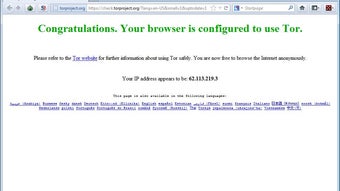
Upon first launch, the browser automatically attempts to connect to the Tor network. If you are behind a restrictive firewall or a censored network, you can click “Configure” to specify a bridge or use a pluggable transport. For most users, the default “Connect” button will establish a secure circuit within seconds, and the browser will open the Tor start page (check.torproject.org) confirming your connection and IP anonymity.
Everyday Browsing Tips
- Security Level: Use the shield icon (TorButton) to set the security level to “Standard”, “Safer”, or “Safest” depending on the site you visit. Higher levels disable more web features but increase protection.
- New Identity: Click “New Identity” to discard the current circuit and obtain a fresh set of exit nodes, useful when you need to reset tracking cookies.
- Bookmarking: The browser supports regular bookmarks, but remember that they are stored locally and could be a privacy risk if the device is compromised.
- Updates: The Tor Browser checks for updates automatically; always install the latest version to benefit from security patches.
- Downloading Files: Files downloaded via Tor exit the network unencrypted. Verify file hashes when possible, and consider using a VPN for large transfers.
The same workflow applies to macOS (drag the app to the Applications folder) and Linux (extract the archive and run start-tor-browser.desktop). Mobile users can simply install the app from the respective app stores and start browsing instantly.
Pros, Cons, and Frequently Asked Questions
Pros of Using Tor Browser Bundle
- Completely free and open‑source—no hidden fees or data‑selling practices.
- Strong anonymity through multi‑layer encryption and random routing.
- Built‑in privacy extensions reduce the need for additional plugins.
- Cross‑platform support ensures consistent protection on any device.
- Regular security updates from a reputable non‑profit organization.
- Easy one‑click connection to the Tor network for non‑technical users.
Cons to Keep in Mind
- Slower browsing speeds compared to standard browsers due to multi‑hop routing.
- Some websites block traffic from known Tor exit nodes, limiting access.
- JavaScript and other active content are disabled by default, which can break modern web apps.
- Not a VPN; it protects anonymity but does not encrypt traffic outside the browser.
- Occasional captchas or verification challenges on content‑heavy sites.
Frequently Asked Questions
Is the Tor Browser Bundle really free?
Yes. The Tor Browser Bundle is released under the GNU GPL license, meaning you can download, use, and share it at no cost. There are no hidden subscriptions or premium tiers.
Can I use Tor on public Wi‑Fi safely?
Absolutely. Tor encrypts your traffic before it leaves your device, protecting you from eavesdropping on public networks. However, avoid downloading sensitive files over Tor on untrusted Wi‑Fi without additional safeguards.
Does Tor replace a VPN?
No. While both tools enhance privacy, Tor focuses on anonymity by routing traffic through volunteer relays, whereas a VPN encrypts traffic and routes it through a single server you trust. Many users combine both for layered protection.
Why is my browsing speed slower with Tor?
Tor routes each request through at least three relays in different countries, adding latency and bandwidth constraints. This trade‑off is essential for anonymity, but you can mitigate slowdown by selecting “Safest” security level only when needed.
Can I stream videos or use WebRTC with Tor?
Streaming is possible but often unreliable because of bandwidth limits and exit‑node restrictions. WebRTC is disabled by default because it can leak your real IP address; you would need to enable it manually, which reduces anonymity.
Final Verdict – Should You Download Tor Browser Bundle?
In an era where digital surveillance is increasingly pervasive, the Tor Browser Bundle stands out as a robust, free, and user‑friendly solution for anyone seeking true online anonymity. Its seamless integration of the Tor network, combined with privacy‑focused extensions like NoScript and TorButton, delivers a high‑security browsing environment without demanding technical expertise. While the trade‑off in speed and occasional site compatibility issues can be inconvenient, these are reasonable sacrifices for the level of protection offered.
Whether you are a journalist protecting sources, an activist navigating censorship, or a privacy‑conscious individual simply tired of invasive tracking, Tor gives you the tools to reclaim control over your digital footprint. The regular updates and transparent development process reinforce trust, making it a reliable choice for both newcomers and seasoned privacy advocates.
Ready to take the next step? Download the Tor Browser Bundle now and experience a safer, freer internet today. Remember to keep the browser up to date, use the built‑in security levels wisely, and consider pairing Tor with a reputable VPN for an extra layer of encryption when needed.







